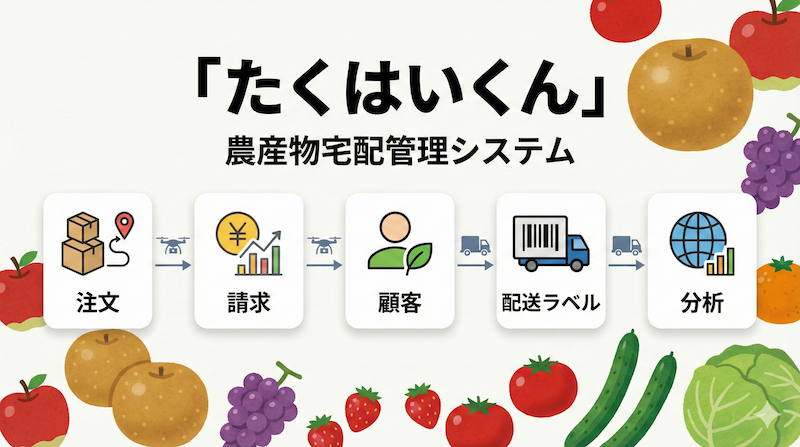
We grow and sell a wide variety of pears in the hills of Fujiyama, Kurume, Fukuoka, with a focus on cultivation and direct sales.
Our orchards sit on well-drained slopes with plenty of sunlight, overlooking the city of Kurume in a beautiful rural setting.
By digitising our back office, we created space to focus on harvesting, serving customers, and delivering quality fruit.
From beloved heritage varieties to new cultivars, we carefully tend each tree so we can offer pears that are delicious and unique.

Centralise products, pricing, and shipping fees
Standardise 'Who' and 'Where'
Accurately track 'What' and 'How much'
Generate shipping labels & invoices automatically
Management relied on 'mental databases', leading to high dependency on specific individuals.
Manual entry for labels and invoices caused chronic overtime during peak seasons.
Customer records were scattered across different PCs and files, wasting time on searches.
Legacy printer software required time-consuming manual adjustments and data entry.
Consistent quality regardless of user. Automatic checks for typos and omissions.
Automated creation of labels and invoices. More time to focus on core business.
Visualized shipping performance. Management based on numbers, not just intuition.
Latest data accessible from any PC. Smooth handovers even when staff changes.
Hear directly from the team running the new system every day.

Before the transformation we could barely keep up with shipping labels—during peak season we often had to handwrite them in a rush, and it was honestly chaotic. Now we can batch-print most labels before the store opens, so we can focus on packing and customer service. With less last-minute work, mistakes and confusion dropped sharply, and the overall stress of the busy season eased a lot.

I used to write labels between serving customers, but that extra step is gone and the work flows much more smoothly. Part-time staff used to help with labels; now they can focus on merchandising the storefront, which is a big help. When preparing shipments for the evening pickup, the organised labels mean we always know exactly which items and quantities to ship, reducing mix-ups. For customers who pay later in-store, we can print invoices ahead of time, so checkout is quick and painless.
Centralises baseline information such as varieties, pricing, and shipping fees for the whole team.
Standardises how recipient names and addresses are stored to eliminate variations.
Accurately captures what to ship and how much, preventing incorrect entries.
Generates shipping labels and invoices with just a few clicks.
At Nashiya Orchard, every piece of operational knowledge lived in the team’s heads. Product varieties, pricing, shipping fees, customer details, and order history were all tracked through paper notes or memory—there was no central database.
Automate shipping labels and invoices through digital transformation.
The first mission was to build a database that accurately stores the three critical data sets—master data (product varieties, pricing, shipping fees), customers, and orders. Only after establishing this foundation could automation deliver results.
[Input] → [Database] → [Output]
↓ ↓ ↓
Master Centralised Shipping labels
Customer Accurate data Invoices
Orders Analytics reports
The system follows these steps:
We defined the goal as “print-ready shipping labels” and “one-click invoice creation,” then worked backwards to identify the required data points and workflow.
Model → Input → Database → Output
Whenever requirements shifted, we walked through the entire stream—from the data design down to PDF generation—to keep everything consistent.
All shared baseline data lives in one place:
Shipping fees are stored as a single valid combination of carrier (Yamato or Sagawa) and number of boxes (1, 2, or 3), preventing duplicates or incorrect rates.
Standardise “who and where.”
Capture “what and how much” precisely.
Validation ensures consistent inputs regardless of who enters the data. Because shipping labels and invoices are generated immediately, there is no rework later.
Labels and invoices now require only a few clicks, drastically cutting the time spent on paperwork. The team can focus on customers and orchard work instead of forms.
Daily and seasonal performance is available as charts, making it easy to decide when to pause orders or harvest more of a popular variety.
Anyone can access the latest data from any workstation. Handoffs are smooth even if responsibilities shift, and shipping or regional data is shared across the entire team.
By building a central database and standardising inputs, Nashiya Orchard moved beyond the “database in our heads.”
Automated labels and invoices freed significant time, while analytics made production decisions data-driven. Eliminating dependency on individual knowledge created a workflow that anyone can run, letting the team focus on growing and selling excellent pears.